
So you’ve just started learning digital marketing maybe through a digital marketing course, or maybe you’ve been watching YouTube videos trying to piece it all together. Either way, at some point you’ve hit this exact question:
“Should I learn SEO first… or just run Google Ads and get results faster?”
It’s one of the most common questions beginners ask. And honestly? There’s no one-size-fits-all answer.
But here’s what I can tell you understanding the difference between the two, and knowing which one to focus on first, can save you months of confusion and thousands of rupees.
In this guide, I’m going to walk you through both separately, clearly, and in depth so that by the end, you’ll know exactly what to do.
Let’s start from the beginning.
What is SEO? (And Why Does It Matter?)
SEO – (Search Engine Optimization) is the process of optimizing your website so it ranks higher on Google’s search results… without paying for ads.
Every time someone types something into Google, Google’s algorithm scans thousands of websites and picks the best ones to show. SEO is essentially about making sure YOUR website is one of those picks.
And the best part? Every click you get from SEO is completely free.
Stat: 68% of all online experiences begin with a search engine. (BrightEdge, 2023)
Think about it – when you searched for something today, did you click on the ads at the top or did you scroll to the organic results? Most people scroll past ads. That’s the power of SEO.
How Does SEO Actually Work?
“Want to understand the difference in depth? Read our guide on On-Page vs Off-Page SEO
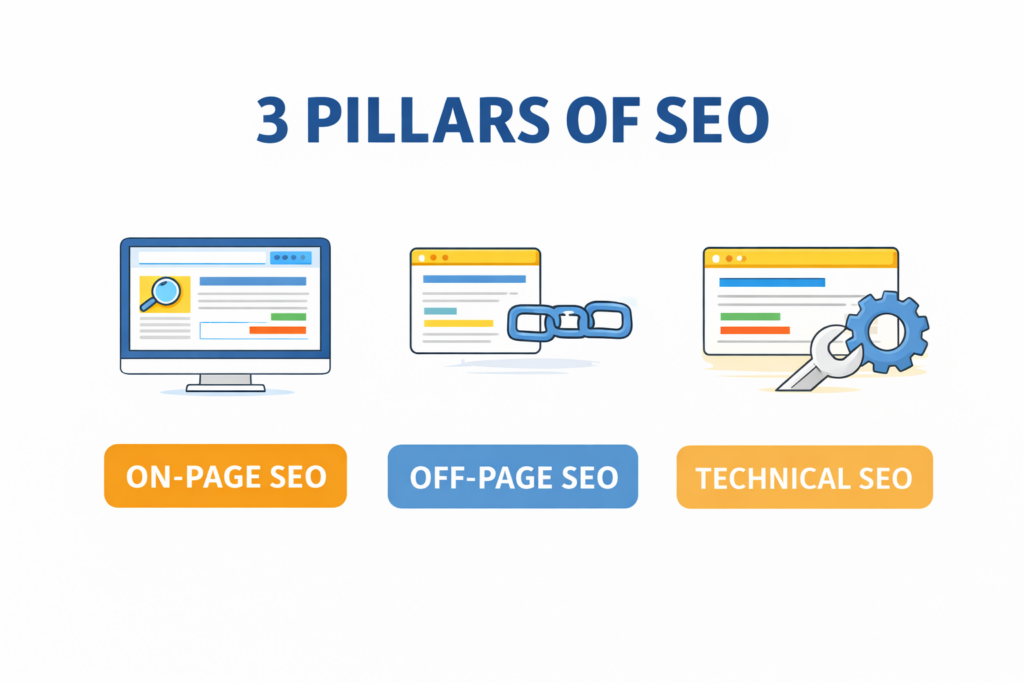
Google uses over 200 ranking factors to decide which websites show up first. But the big three pillars you need to understand as a beginner are:
On-Page SEO
This is everything you do ON your website. Using the right keywords in your content, writing good titles and meta descriptions, structuring your headings properly, and making sure your content actually answers what people are searching for.
Off-Page SEO
This is everything that happens OUTSIDE your website. Mainly backlinks when other websites link to yours. Google sees backlinks as votes of confidence. The more quality backlinks you have, the more Google trusts you. Not all backlinks are equal though. Some can actually hurt your rankings. Check out Types of Backlinks in SEO to know which ones actually work.
Technical SEO
How fast your website loads, whether it works well on mobile, if Google can crawl and index it properly. These are the behind-the-scenes things that make or break your rankings.
Real Life Example of SEO in Action
Imagine Riya, a 22-year-old student from Bangalore. She starts a blog about “budget travel in India” after completing her digital marketing course. She learns SEO, optimizes her posts around keywords like “cheapest places to visit in India”, builds a few backlinks, and stays consistent. 6 months later? Her blog is getting 15,000 visitors a month without spending a single rupee on ads. That’s SEO.
Pros of SEO
- Free traffic- once you rank, you don’t pay per click
- Long-term results a well-ranked page can bring traffic for years
- Builds trust and credibility with your audience
- Compounds over time more content = more traffic
- High ROI in the long run
Cons of SEO
- Takes time typically 3 to 6 months to see real results
- Requires consistent effort content creation, link building, updates
- Google algorithm updates can affect rankings
- Competitive niches are harder to crack
Common SEO Mistakes Beginners Make
Mistake: Targeting keywords that are too competitive right from the start. Always go for long-tail keywords when you’re new.
Mistake: Writing content just for Google and not for the actual reader. Google is smart it rewards content that genuinely helps people.
Mistake: Ignoring technical SEO. A slow website or broken links will kill your rankings no matter how good your content is.
Mistake: Expecting results in 2–3 weeks. SEO is a long game. Most beginners quit right before things start working.
Pro Tip: Use free tools like Google Search Console and Ubersuggest when you’re starting out. You don’t need expensive tools until you’re more advanced.
What is Google Ads? (And How is it Different?)
Google Ads also known as PPC (Pay-Per-Click) is Google’s paid advertising platform. You pay Google to show your website at the top of search results for specific keywords.
The moment your campaign goes live, your ad appears. The moment your budget runs out or you pause the campaign? It disappears. Instantly.
There’s no waiting period. No building up. You pay, you appear. Simple.
Stat: Businesses make an average of ₹160 for every ₹80 spent on Google Ads. (Google Economic Impact Report)
That’s a 2x return on investment which sounds amazing. But here’s the catch: that number assumes you know what you’re doing. Beginners who jump into Google Ads without proper knowledge often lose their budget fast.
How Does Google Ads Actually Work?
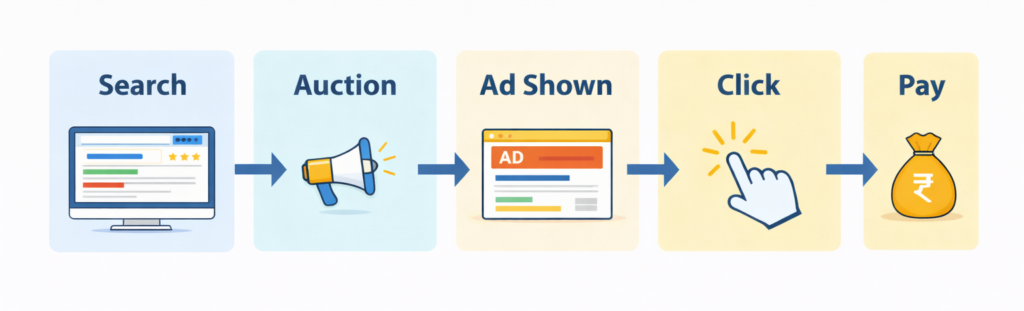
Here’s a simplified breakdown of how Google Ads works:
- You choose keywords you want to show up for (e.g., “digital marketing institute in Bangalore”)
- You set a bid how much you’re willing to pay each time someone clicks your ad
- Google runs an auction every time someone searches that keyword
- The winner gets shown at the top based on bid amount AND ad quality
- You only pay when someone actually clicks your ad (that’s the “pay per click” part)
It’s a powerful system. But it rewards those who understand targeting, ad copy, landing pages, and bidding strategy. Without those skills, even a big budget won’t save you.
Real Life Example of Google Ads in Action
Arjun runs a small coaching centre in Bangalore. He wants to get new students before the next academic year starts. He can’t wait 6 months for SEO to kick in. So he sets up a Google Ads campaign targeting “best digital marketing course in Bangalore”, writes a compelling ad, and sends people to a well-designed landing page. Within 48 hours, he starts getting inquiries. He spends ₹15,000 over 3 weeks and gets 8 new enrolments. That’s Google Ads doing its job.
Pros of Google Ads
- Instant visibility show up on page 1 from day one
- Highly targeted reach exactly the right people at the right time
- Great for testing quickly see what messaging works
- Scalable increase budget when something is working
- Perfect for time-sensitive campaigns and launches
Cons of Google Ads
- Costs money and costs can add up fast without proper management
- Stops the moment you stop paying no residual benefit
- Competitive keywords can be expensive especially in marketing, finance, law
- Requires ongoing monitoring and optimization
- Easy to waste budget if you don’t know what you’re doing
Common Google Ads Mistakes Beginners Make
Mistake: Running ads without a proper landing page. Sending ad traffic to your homepage instead of a dedicated, conversion-focused page is one of the biggest budget-wasters.
Mistake: Not setting a daily budget cap. Without this, you can blow through your entire monthly budget in a day.
Mistake: Using broad match keywords without negative keywords. Your ad ends up showing for completely irrelevant searches.
Mistake: Ignoring Quality Score. Google rewards relevant, high-quality ads with lower costs. Poor quality = you pay more for the same results.
Pro Tip: Always run Google Ads with a clear goal. Are you trying to get calls? Form fills? Sales? Define the conversion before you spend a rupee.
SEO vs Google Ads – Side-by-Side Comparison
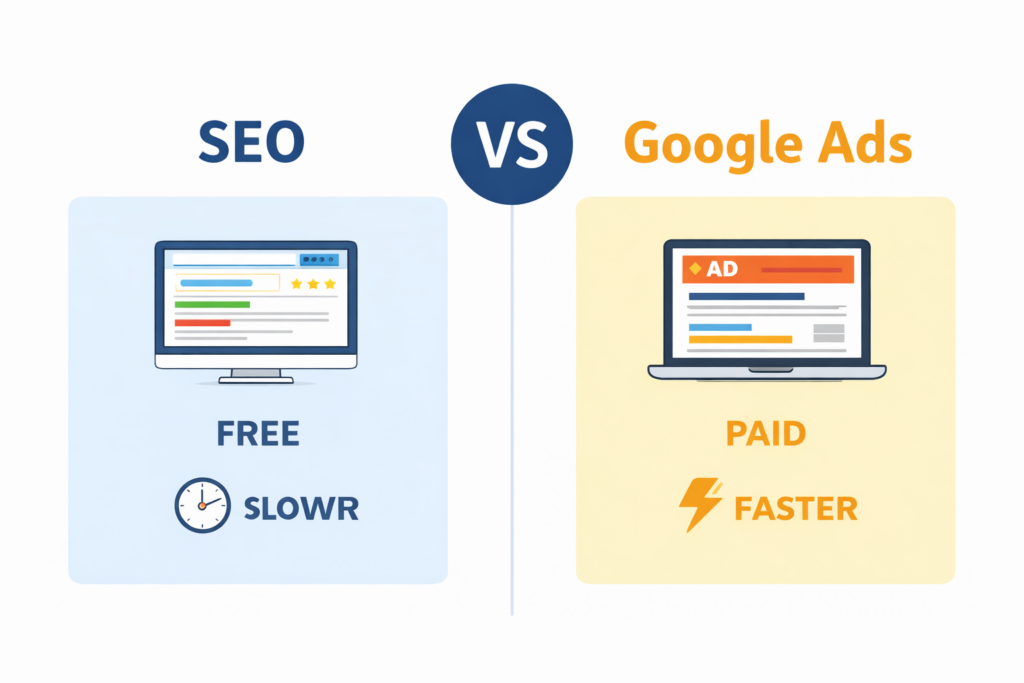
Now that you understand both properly, here’s the full picture at a glance:
| Factor | SEO | Google Ads |
| Cost | Free (time & effort) | Paid per click |
| Speed | 3–6 months | Results within hours |
| Longevity | Long-term, compounds over time | Stops when budget stops |
| Trust Level | High – users trust organic | Lower – people skip ads |
| Skill Required | Content, keywords, links | Bidding, targeting, copywriting |
| Min. Budget | ₹0 (just time) | ₹500–₹1000/day recommended |
| Best For | Blogs, brands, long-term ROI | Quick sales, product launches |
| ROI Timeline | Slow start, massive long-term | Immediate but stops with spend |
| Beginner Pick? | ✅ Yes start here | Learn after SEO basics |
So Which One Should YOU Learn First as a Beginner?
Here’s my honest, no-fluff answer:
Start with SEO. Always.
Here’s why SEO teaches you how Google thinks. It builds your understanding of keywords, search intent, user behaviour, and content strategy. These are the fundamentals that make EVERYTHING else in digital marketing click into place.
Once you understand SEO, picking up Google Ads becomes significantly easier. You’ll already understand keywords, quality scores, and what makes people click. You’ll write better ad copy because you understand what users actually want.
Think of SEO as your foundation. Google Ads is the rocket fuel you add once the foundation is solid.
According to a HubSpot study, inbound marketing (which includes SEO) generates 3x more leads per rupee spent than traditional outbound methods like paid ads.
That said if you’re running a business and need results NOW, start with Google Ads for immediate traffic while your SEO builds in the background. Smart businesses use both.
Wondering what kind of salary you can earn with these skills? Read our post on How Much Does a Digital Marketer Earn in India? [2026 Salary Guide] it’ll give you a clear picture of what’s possible.
The Final Verdict
- If you’re a student or beginner – learn SEO first, Google Ads second
- If you’re a business owner – use Google Ads for quick wins while SEO builds
- If you’re a freelancer – knowing both makes you incredibly valuable
- If you want a career in digital marketing – you absolutely need to know both
There’s no wrong choice here it’s about knowing where you are and what your goals are. Both skills are powerful. Both are in demand. And both are learnable if you’re taught properly.
Want to Master Both SEO and Google Ads the Right Way?
Here’s the truth you can watch a hundred YouTube videos and still feel lost. Because digital marketing is a skill that needs structure, practice, and real-world projects to actually stick. That’s exactly what we offer at Prodigiter, one of the leading digital marketing institutes in Bangalore.
Our course covers SEO, Google Ads, Social Media Marketing, Content Marketing, Email Marketing, and more all in one structured program with live projects, mentorship, and placement support.
You don’t just learn theory. You work on real campaigns. You build a real portfolio. And you graduate with skills that companies actually hire for.
👉 Explore our Digital Marketing Course in Bangalore and take the first real step toward your digital marketing career.
See you on the other side. 🚀
Frequently Asked Questions
Is SEO free?
SEO itself doesn’t cost money in terms of ad spend you’re not paying Google for clicks. But it does require time, effort, and sometimes investment in tools or content creation. Think of it as a time investment rather than a financial one.
How much does Google Ads cost in India?
There’s no fixed cost you set your own budget. However, for meaningful results, most experts recommend starting with at least ₹500–₹1000 per day. Competitive industries like education, finance, or real estate can cost more per click.
Can I learn SEO and Google Ads at the same time?
You can, but it can get overwhelming. Most experts recommend getting comfortable with SEO basics first — it’ll make Google Ads much easier to understand when you get there.
Which is better for getting a digital marketing job – SEO or Google Ads?
Both are valuable. But SEO knowledge is expected in almost every digital marketing role, while Google Ads expertise is more specific to performance marketing or PPC roles. Knowing both gives you the widest range of opportunities.
Where can I learn both SEO and Google Ads in Bangalore?
Prodigiter offers a comprehensive digital marketing course in Bangalore that covers both SEO and Google Ads in depth along with social media, content marketing, analytics, and more. With live projects and placement assistance included.